

Optimising WordPress Hosting for Scale: Architecture, Performance, and Control
Scaling WordPress hosting without a clear architecture leads to unpredictable performance and mounting operational headaches. When your WooCommerce store or site hits real-world traffic, weak points in infrastructure become costly bottlenecks. This post breaks down a systems-led approach to WordPress hosting optimisation that improves reliability, reduces friction, and keeps your digital platform running smoothly at scale. For further insights, explore this comprehensive guide on WordPress speed optimisation.
Tim’s Web Worx
Technology should move at the speed of your ambition.
(If this sounds familiar, feel free to DM me.)
Framework for Scalable WordPress Hosting
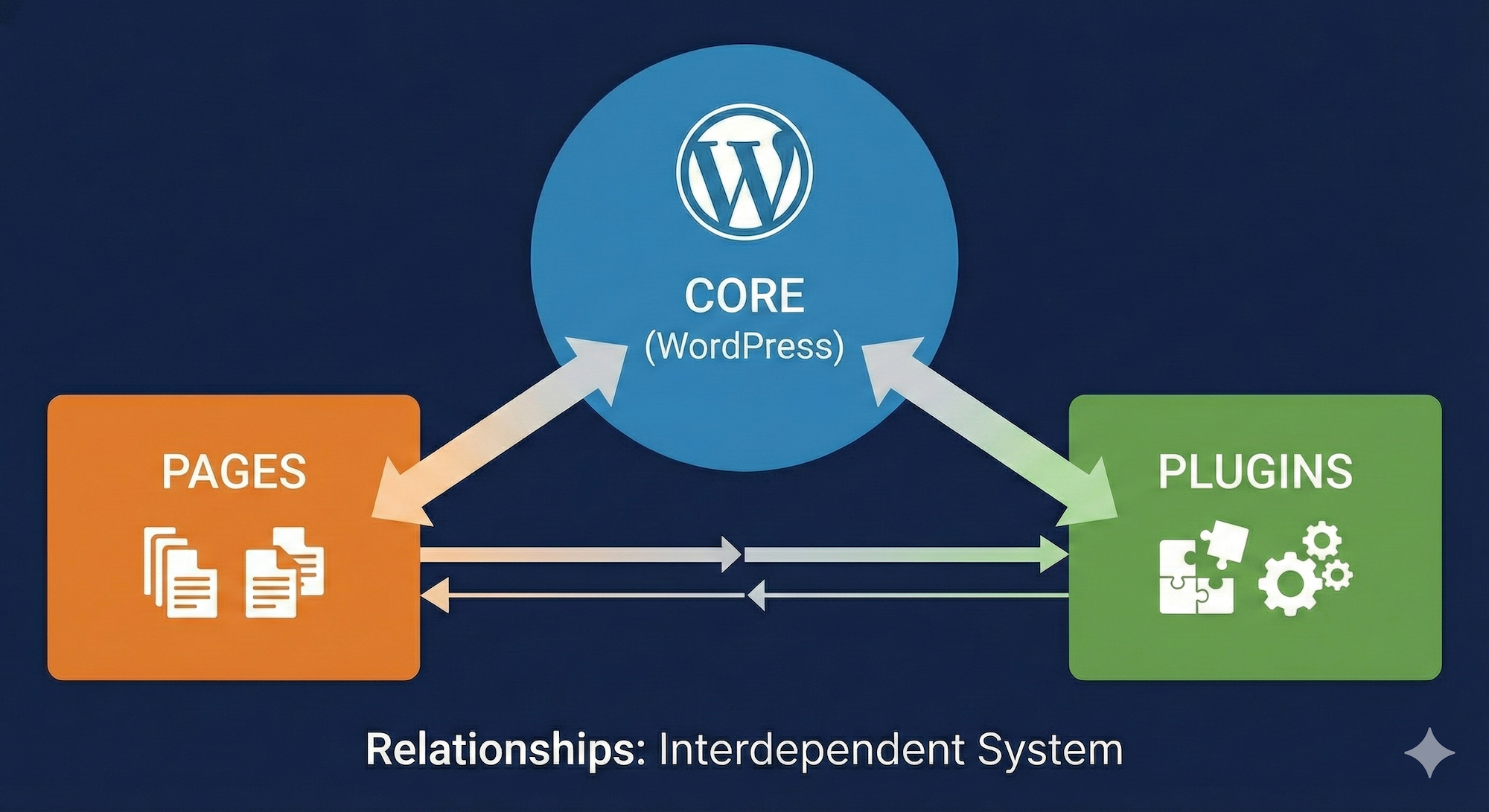
Building a scalable WordPress hosting framework begins with a robust architecture-first approach. This foundational step ensures your platform can handle increased demand without a hitch.
Architecture-First Approach
Start by prioritising your architecture. A well-structured setup prevents bottlenecks. It paves the way for seamless growth. Consider how your server environment supports scalability. Use containerisation and virtualisation to maintain flexibility. AWS Graviton WordPress hosting is one option that offers high-performance and cost-effective scalability. This approach aligns with the need for a stable foundation. It ensures your site remains reliable even under increased load.
Performance and Reliability Enhancements
Next, focus on performance and reliability enhancements. They are critical for user satisfaction. Poor performance can drive users away. Implement an edge caching strategy with a Content Delivery Network (CDN) like Cloudflare. This reduces latency and improves load times. Improve server response with HTTP/3 QUIC. These steps reduce Time to First Byte (TTFB) and enhance Core Web Vitals. Persistent performance boosts user trust and engagement.
Control and Maintainability
Finally, ensure control and maintainability. A system that’s easy to manage reduces operational headaches. Use infrastructure as code for hosting to simplify management. Tools like Terraform can automate and standardise your infrastructure. This facilitates effortless updates and scaling. Reducing manual interventions enhances reliability. It also allows your team to focus on business-critical tasks.
Enhancing WooCommerce Performance

WooCommerce sites demand robust performance strategies. Optimising these aspects directly impacts sales and customer satisfaction.
LiteSpeed Tuning and Redis Cache
Implement LiteSpeed tuning for improved server efficiency. LiteSpeed’s caching technology accelerates page loads by up to 1000%. Combine this with Redis object cache to handle dynamic content effectively. Redis stores frequently accessed data in memory. This reduces database load and speeds up content delivery. For WooCommerce, faster load times mean reduced cart abandonment and increased conversion rates.
Cloudflare CDN and Rate Limiting
Integrate a Cloudflare CDN to distribute content globally. It ensures your site loads quickly, no matter the user’s location. Use rate limiting to protect against traffic spikes and DDoS attacks. This keeps your site operational under unexpected loads. Such measures prevent downtime and secure your revenue stream. Cloudflare’s Web Application Firewall (WAF) further enhances security.
MySQL and PHP-FPM Configuration
Optimise MySQL/MariaDB settings for better query performance. Use tools to monitor and adjust configurations to match your usage patterns. Fine-tune PHP-FPM settings to manage scripts efficiently. This reduces execution time and improves server resource utilisation. Together, these adjustments enhance site speed and reliability. They also lower server costs by optimising resource usage.
Advanced Infrastructure Management

Beyond performance, managing infrastructure efficiently ensures long-term stability and growth.
Observability and Error Budgets
Adopt observability tools to monitor your system’s health. Implement error budgets to balance new features with system reliability. This approach helps maintain uptime goals. It also provides insights into system vulnerabilities before they impact users. Consistent monitoring builds confidence in your platform’s stability.
Autoscaling and Backup Strategies
Enable autoscaling to adapt to traffic fluctuations. This ensures your site remains responsive during peak times. Implement robust backup and disaster recovery protocols. Regular backups protect against data loss. Automated recovery processes minimise downtime after an incident. These strategies safeguard your data and ensure continuity.
Staging and Release Management
Utilise staging environments for testing updates before live deployment. This approach reduces the risk of errors affecting your live site. Implement structured release management to control updates. This ensures new features roll out smoothly without disrupting existing operations. A controlled environment promotes innovation while maintaining stability.
Tim’s Web Worx
Technology should move at the speed of your ambition.
(If this sounds familiar, feel free to DM me.)