
A website’s user experience lives in the details. Beyond the layout and colour palette, every click, hover and form submission produces a small response: a button changing state, a loading indicator, a confirmation message. These micro-interactions tell visitors that the site has heard them, and micro-interactions that convert do it without slowing anyone down. Done well, they build confidence and keep people moving towards your call to action. Done badly, they create friction that sends visitors to a competitor.
I approach interaction design as an engineering problem as much as a visual one. The question isn’t whether an animation looks nice. It’s whether it helps a visitor complete a task faster and with more confidence, without slowing the page down.
What Makes Micro-Interactions That Convert
Micro-interactions are small, single-purpose responses to something a visitor does. A button that changes colour on hover, a subtle confirmation when a form is sent and a progress bar in a multi-step checkout are all examples. The ones that convert share one quality: they give immediate, clear feedback that confirms the visitor’s action worked.
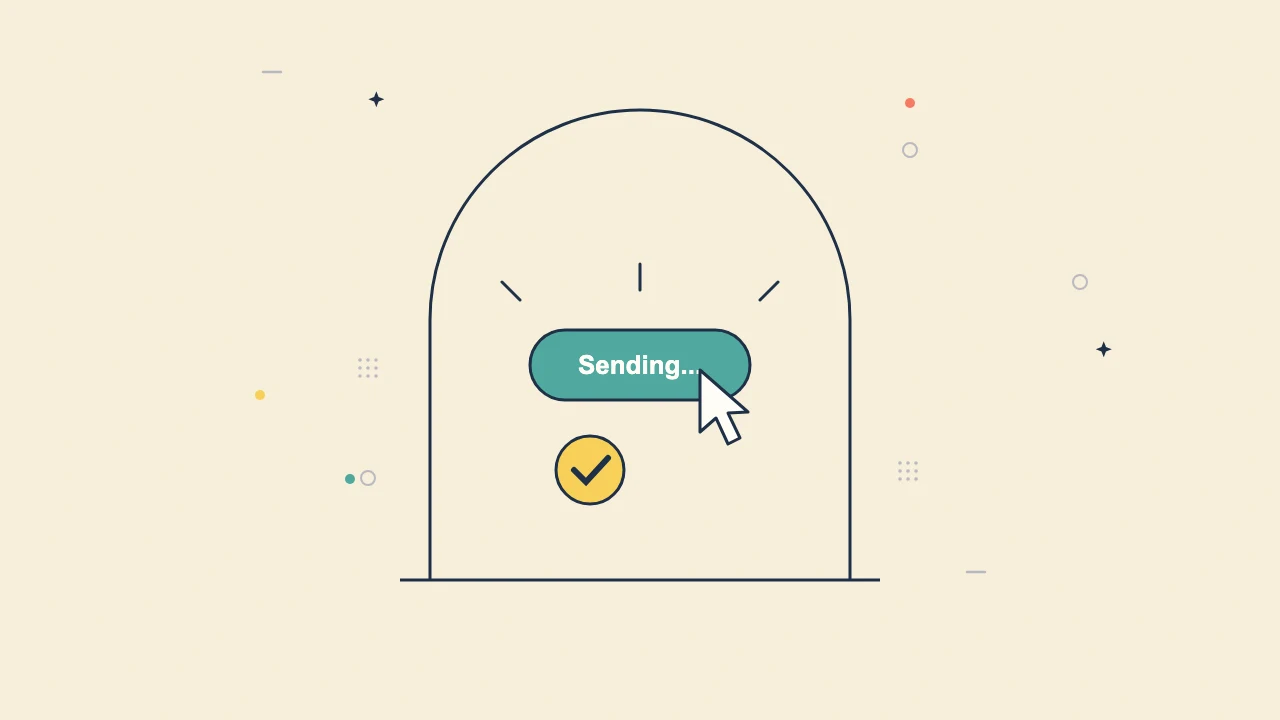
Think about a contact form with no feedback. The visitor presses “Send” and nothing visible happens, so they wonder whether it worked, press it again or leave. Compare that with a button that changes to “Sending…” and then shows a clear success message. The second version costs a few lines of code and removes all doubt at the most important moment on the page.
The Interactions That Annoy Visitors
Not all motion is useful. Animations that serve no purpose, delay progress or get in the way of content create friction. Bouncing icons, sections that slide in slowly as you scroll and pop-ups that cover the content you came to read all work against your goals. As a rule of thumb, if a transition takes longer than about 300 milliseconds, it starts to feel sluggish.
Heavy animation libraries also have a performance cost. On mid-range phones and patchy mobile data, extra JavaScript delays the page and hurts Core Web Vitals, especially Interaction to Next Paint (INP), which measures how quickly the page responds to taps and clicks. An animation that makes the site feel slower is doing the opposite of its job.
Keep Interactions Lean and Fast
I build interactions with CSS wherever possible and keep JavaScript for the cases that genuinely need it. Button states, hover effects and simple transitions run smoothly in CSS without blocking the main thread. The aim is for every interaction to respond almost instantly, ideally within 100 milliseconds of the tap or click.
Layout stability matters too. If an interaction pushes content around the page, it hurts your Cumulative Layout Shift (CLS) score and annoys visitors who lose their place. A stable layout with modest, purposeful feedback beats an impressive animation every time.
Respect Accessibility Preferences
Some visitors use screen readers and some turn off animations in their device settings because motion makes them unwell. Micro-interactions should respect those preferences. I use the prefers-reduced-motion setting to switch off non-essential movement, make sure important feedback is also announced as text and keep contrast high enough to read in bright light. If your site relies on motion alone to communicate something important, some visitors will miss it. Good interaction design works for everyone, whatever device or settings they use.
Connect Interactions to Your Business Systems
The most valuable micro-interactions connect to real data. A pricing calculator that updates instantly, a stock indicator on a product page or an “added to cart” confirmation all rely on the backend responding quickly. When those interactions are also logged in HubSpot, such as a resource download or a quote request, your team can see what each lead has done and follow up with context. For WooCommerce stores, fast cart and checkout feedback keeps buyers moving. Quick server responses, sensible caching and a lean theme make those interactions feel instant, which matters most on mobile where patience is shortest.
Audit What You Already Have
If your site feels cluttered or slow, start with an audit. List every animation and script on your key pages and ask what each one does for the visitor. Remove anything decorative that slows the page, keep the feedback that confirms actions and test the result on a real phone. In my experience, the cleaned-up version is almost always faster, clearer and better at converting.
Frequently Asked Questions
What are micro-interactions on a website?
Micro-interactions are small responses to a visitor’s action, such as a button changing state, a loading indicator or a confirmation message. They tell visitors that the site has registered what they did.
Do animations slow down a website?
They can. Heavy JavaScript animation libraries delay the page and hurt Interaction to Next Paint (INP). Simple CSS transitions under about 300 milliseconds give feedback without a noticeable performance cost.
How do micro-interactions improve conversions?
Clear feedback removes doubt at key moments. A button that shows “Sending…” and then a success message stops visitors wondering whether their enquiry went through, so fewer people give up or submit twice.
Need a site built this way? Find out more about my website design and development.
Related reading: Choosing the Right Technology Stack for Your Web Project: A Complete Guide and The Real Cost of a Friend-Built Website When Your Business Starts Growing.
For more background, see web.dev’s guide to INP.

